
The following article explain what's the Autonomous Export from Explorer, its structure and configurable properties.
Autonomous Export allows you to automatically receive a recurring export from the Explorer, showing the incrementality attributed to each of your channels across platforms and selected countries. It is designed for teams that want a consistent, automated way to consume incremental insights outside the INCRMNTAL UI.
What does Autonomous Export provide?
Autonomous Export delivers a recurring data dump of incremental results that can be used for:
-
Internal reporting
-
Ongoing performance monitoring
-
External dashboards and BI tools
Recommended setup
Based on typical usage patterns, we recommend:
-
Cadency: Weekly
-
Lookback window: 45 days back
Both cadency and granularity are fully adjustable and can be tailored to your reporting needs.
Export structure and behavior
The structure and update behavior depend on the selected destination.
Google Sheets
When exporting to Google Sheets:
-
On each scheduled run, the export is updated automatically, overwriting the existing data and adding the most recent results.
-
The export is written into a single, INCRMNTAL-managed tab containing Autonomous incremental results
-
The update happens according to the configured cadence (weekly by default).
Amazon S3 Bucket
When exporting to an Amazon S3 bucket:
-
Each scheduled export creates a new folder in the bucket.
-
Every run is saved as a separate, time-stamped export.
The data from Explorer can be sent either to your s3 bucket or to INCRMNTAL's owned bucket. You can read how to create them here.
Configurability
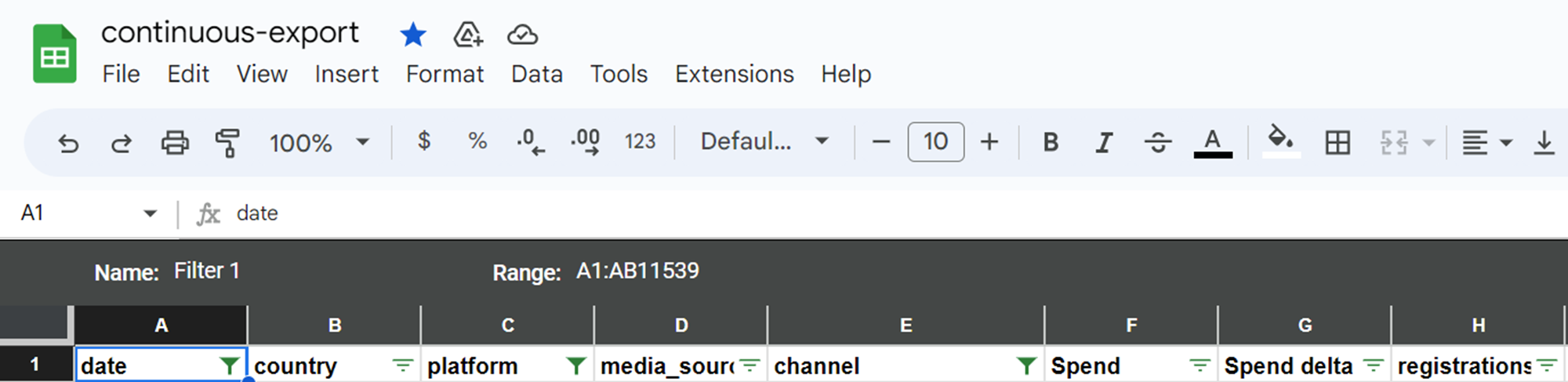
The export is currently configurable by INCRMNTAL. To request an export, please reach out to support@incrmntal.xyz.
The following are the available configurable parameters which can be featured in the export:
- Country/ies
- Platform: iOS, Android, Web, etc.. All*
- Incremental results for Conversions, 2nd KPI, 3rd KPI*
- (If you measure cohorted values, such as revenues, and/or first purchase, you may also specify the cohort(s) you wish to receive)
- Timeframe: by default, the export will provide the incrementality for the past 8 weeks, continuously overwriting the past 8 weeks.
- Start of the week: by default, the start of the week is set as Monday
- Confidence interval: by default the export will provide you with results at a 95% confidence interval
Important notes regarding the available data in the export:
- “Date” indicates the start of the week, for which we report the incremental value.
- “All” under platform is an equivalent of the “cross platform” measurement on our dashboard – This can be used to look at offline spends’ incremental values.
In other cases, it is highly recommended to filter per platform when analyzing your results.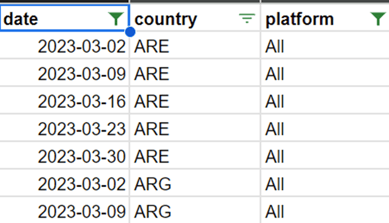
- Cohorts: If you measure cohorted values, such as revenues, and/or first purchase, you may also specify the cohort(s) you wish to receive (i.e. d0, d7, d30, d90, custom cohort)
For any question please contact onboarding@incrmntal.xyz , or open a support Ticket here